Beast of Reincarnation Patches, v1.0.7 Changes & Known Issues
A source-checked guide to Beast of Reincarnation patch v1.0.7 / v1.005.000: implemented camera, text, combat and PC fixes; future plans; version checks; and the official support route.
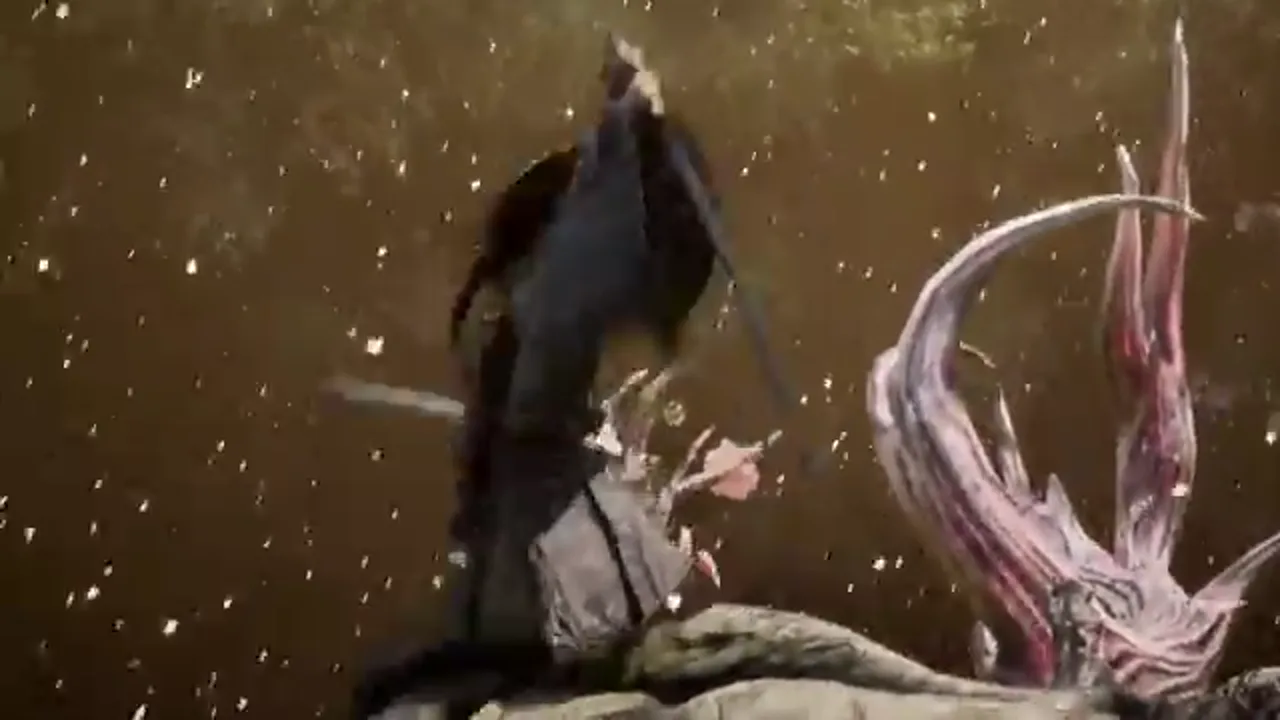
The first post-launch update for Beast of Reincarnation is v1.0.7 on Xbox Series and Steam, or v1.005.000 on PS5, according to Fictions’ support pages. It is a meaningful quality-of-life patch: it changes camera behavior, text size, cutscene defaults, controls, parry behavior, enemy balance and several PC settings issues. It also lists a separate set of features planned for future updates.
The distinction matters. A planned feature is not available simply because it appears in patch notes. This guide keeps the two categories apart, explains how to check the installed version, and points to the official support path when a problem needs more than a settings change. It is updated from first-party patch notes, not from unverified social posts.
Check that the update is installed first
Before troubleshooting a reported issue, confirm your game has downloaded the latest available patch. Fictions’ current version page lists:
- Xbox Series: 1.0.7.0
- PS5: 1.005.000
- Steam: 1.0.7.0
For PS5, open your game library, press the controller’s Options button on Beast of Reincarnation, then choose Check for updates. Fictions says the updated version should display as 01.005.000. On Xbox Series, open Manage Game and add-ons, scroll to updates, and look for version 1.0.7.0. On Steam, select the title in the library and use Update where the Play button normally appears; Library → Downloads shows the download status.
These steps apply to both physical-disc and digital owners where the platform supports the release. Do not assume that a disc copy includes the most recent fixes without an online update. Likewise, do not uninstall a game just because a download seems stalled: check the platform’s update queue, available storage and network state first, then use Fictions Support if the official steps do not resolve it.
What v1.0.7 changes now
Fictions says the update includes adjustments and fixes in several categories. The following are implemented in the current patch, not merely promises.
Camera and readability
The patch adjusts the player camera both in and out of combat. It also changes text sizing throughout the game. These are broad changes, so the practical result can vary by scene, display size and platform. If camera framing or readability is a concern for you, install the update before deciding whether an older launch clip reflects the current experience.
The patch also changes the default cutscene setting from Cinematic to Performance. Fictions explains that cutscenes therefore no longer default to 24 fps, although the Cinematic option remains available. Existing players who previously chose Cinematic need to change the setting themselves if they want the new Performance behavior going forward.
Controls and combat
The settings menu now allows the Interact button binding to be customized independently. The patch also adjusts the parry window when Emma is taking damage. That is a specific combat-system change, not a blanket statement that every parry is easier or that all difficulty modes have identical behavior. Test the updated timing in a safe area before building a strategy around it.
Fictions also fixed a story-event conflict involving the Interact button when it was mapped to Square/X: in a conversation with Kagura on the Walker, the game could prioritize “rest until morning” and prevent the conversation. A separate fix addresses button-icon type changes not being saved correctly.
Encounters and story pacing
The update includes various boss-balance changes across all difficulty levels and normal-enemy encounter adjustments on Normal difficulty. The official notes do not publish a boss-by-boss numerical breakdown, so any claim that a specific boss was “nerfed by X percent” needs an additional first-party source before it belongs in a guide.
Cutscene playback conditions were adjusted to prevent certain scenes from playing back-to-back, and affinity conversations now trigger only once per day. This is a good example of why old launch impressions may become outdated: an issue described accurately on day one may be different after an official pacing change.
PC and display fixes
The patch fixes an issue that reset upscaling settings on restart. It also fixes a V-Sync problem where changing the V-Sync setting could affect resolution settings. If you previously configured PC image settings and found them altered after reopening the game, update first, then set your desired configuration again and confirm it persists after a restart.
For broader PC setup context, see the PC System Requirements & Settings Guide. It explains Steam’s official minimum and recommended targets; this page focuses on the patch-specific behavior rather than guessing at a universal performance preset.
Additional fixes named in the notes
Fictions calls out several more specific fixes: the sixth golem in Subcity 01 was made easier to find, and Emma no longer becomes unable to interact when a Bloom Art is cancelled. The notes also mention “various additional bug fixes,” but do not list every fix individually. If an issue is not named, do not interpret the catch-all wording as proof that it has been resolved.
The reliable order is: install the patch, reproduce the issue once with the current version, search the official support hub for the platform-specific article, and submit a ticket with the requested details if it persists. Screenshots, a clear reproduction path and the version number are more useful than a general “it is broken” report.
Features Fictions says are planned, not live
The same v1.0.7 notes list ongoing work and player-requested improvements. At the time of this update, Fictions says it plans to address:
- DLSS 4/4.5 (L/M) and FSR 4 support;
- the ability to use healing injections immediately after taking damage;
- a player-camera distance option and further boss-camera adjustments;
- subtitle-size controls;
- minor adjustments to selected in-game cinematic cameras;
- replayable cutscenes and events;
- ultrawide-monitor support;
- an Interact/Examine remapping option;
- story direction markers in areas with unclear navigation;
- removal of HP loss from drown/fall penalties and changes to drowning-detection areas;
- other general improvements.
These points should be read as a roadmap, not a guarantee of a date, a platform rollout order or a final implementation. For example, the current patch already allows independent Interact binding customization, while the future list mentions an Interact/Examine remap option; the official wording may reflect broader control work still under consideration. When a later patch arrives, compare its own notes rather than assuming this list has shipped unchanged.
Settings that are available today
Fictions’ support articles confirm two useful settings paths. Voice-over can be changed between English and Japanese from the main menu: open Settings → Languages → Voice-Over Language. The change is available at any time, but only from the main menu.
Cutscene frame rate can be changed in Settings → Graphics → Frame Rate (Cutscenes). The options are Cinematic (24 FPS) and Performance (same FPS as game settings). v1.0.7 makes Performance the default for new behavior, but your own selection controls what applies from that point onward. These steps are more reliable than outdated launch guides that tell you a choice is locked or unavailable.
If the PC version crashes
Fictions asks Steam and PC Game Pass players with launch or in-game crashes to submit a support ticket. If possible, include the CrashDump, which the support article says is commonly located at C:\Users\YourUsername\AppData\Local\CrashDumps. The article also notes that a BIOS update can sometimes help and links to common manufacturer support pages.
A BIOS update is an advanced system action with risk if interrupted or performed for the wrong model. Follow the exact instructions for your hardware manufacturer, use the current official documentation, and do not treat it as the first response to every crash. Start with the game update, GPU driver, Windows updates and Fictions’ ticket path. Include your platform, installed version and the steps that trigger the crash.
How this page will be maintained
This guide records only versions and changes that Fictions publishes. When a future patch appears, it will receive a dated section with a link to its official notes; removed, delayed or revised roadmap items will be marked accordingly. For platform and subscription questions, continue to Where to Play & Game Pass. For a spoiler-light start after updating, read the Beginner’s Guide.